Select Page

Category: Minecraft

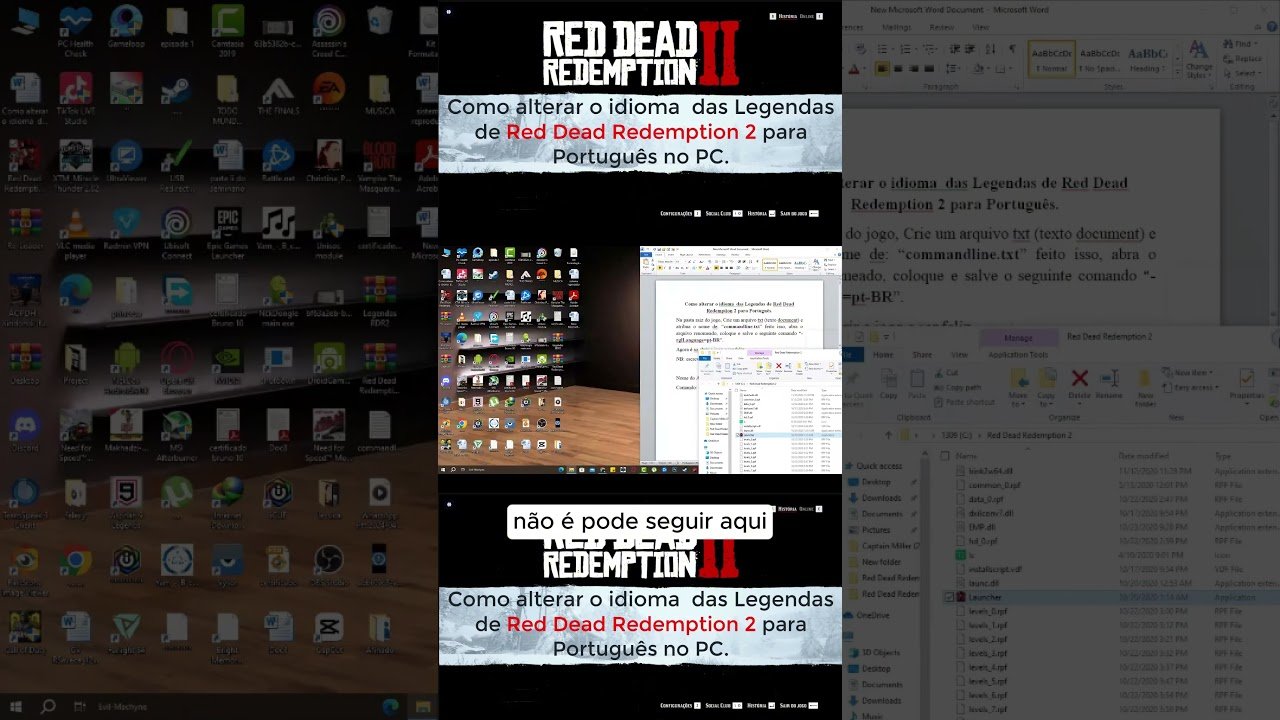
Red Dead Redemption 2: Como alterar o idioma das Legendas de Red Dead Redemption 2 para Português.

Date: 04.11.2026

Written By

003


Na pasta raiz do jogo, Crie um arquivo txt (texto document) e atribua o nome de: “commandline.txt” feito isso, abra o arquivo renomeado, coloque e salve o seguinte comando “-rglLanguage=pt-BR”.
Agora é so abrir o jogo e ser feliz.
NB: escrever os comandos sem as “Aspas”.

Nome do Arquivo: commandline.txt
Comando: -rglLanguage=pt-BR

source

Related Posts

News & Updates

Top 3 Best Minecraft Bedwars Texture Packs for PvP (FPS Boost + Clean)

Looking for the best Minecraft Bedwars texture packs? In this video, I am showing you the Top 3 packs that are clean, smooth, and give you and FPS boost - perfect for Bedwars, Skywars, and other PvP game modes! These packs make PvP feel way better Cleaner visuals =...

👾¡Los ZOMBIES volvieron a Red Dead Redemption! 🧟‍♂️

En este video te contamos todo sobre el nuevo evento sobrenatural de Red Dead Online: Strange Tales of the West, el contenido más extraño que Rockstar ha lanzado desde el legendario Undead Nightmare. Durante todo julio de 2025, los jugadores de Red Dead Online podrán...

0 Comments